
Learning Sources
Train Atom on SharePoint documents
Learn how to train Atom on SharePoint documents.
Atom primarily learns from:
-
The documents you upload, like PDFs, CSV files, DOCX etc., and the links you provide.
-
The transcript in YouTube links
-
Your Notion pages if you connect your Notion account to Atomicwork
-
Confluence documents
-
From conversations in configured public Slack channels
Atom can also learn from any** SharePoint documents it has access to**. Here's how you can set up the integration.
Once you add a SharePoint document, it will automatically sync everyday to learn the information in these documents. It also respects SharePoint permissions and will share answers from these documents with employees who have access to the original document.
The Atomicwork-SharePoint integration can pull the following file types from SharePoint into Atomicwork: PPTX, PPT, XLS, XLSX, CSV, TSV, DOC, DOCX, ODT, PDF, RTF, TXT, MD, HTML, HTM, XML, JSON, YML, and YAML. It also supports ASPX pages. The integration supports Sharepoint Online only.
Atom cannot "read" images, URLs, or code in your documents. This means that it will not be able to parse text inside images, use URLs in messages, or follow URLs to learn from the content of those sub-pages or “learn” from code.
Add a SharePoint document
-
Log into your Atomicwork account and go to Settings > Enterprise AI > Knowledge library. Select Organization to apply this across the organization, or select a workspace to apply it to that workspace only.
-
Choose the folder you want to add a document to.
-
Click Add and choose SharePoint from the dropdown menu.
-
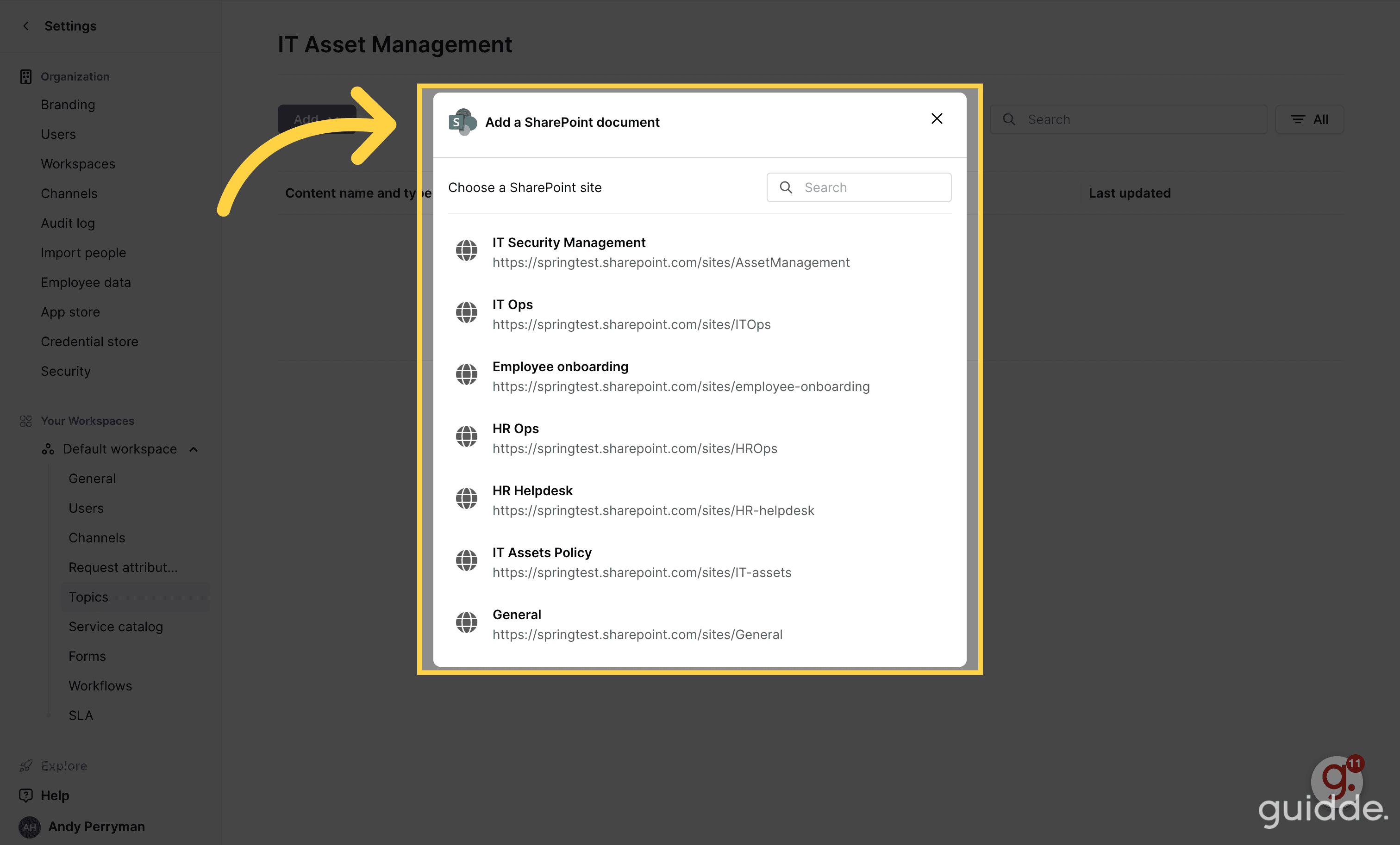
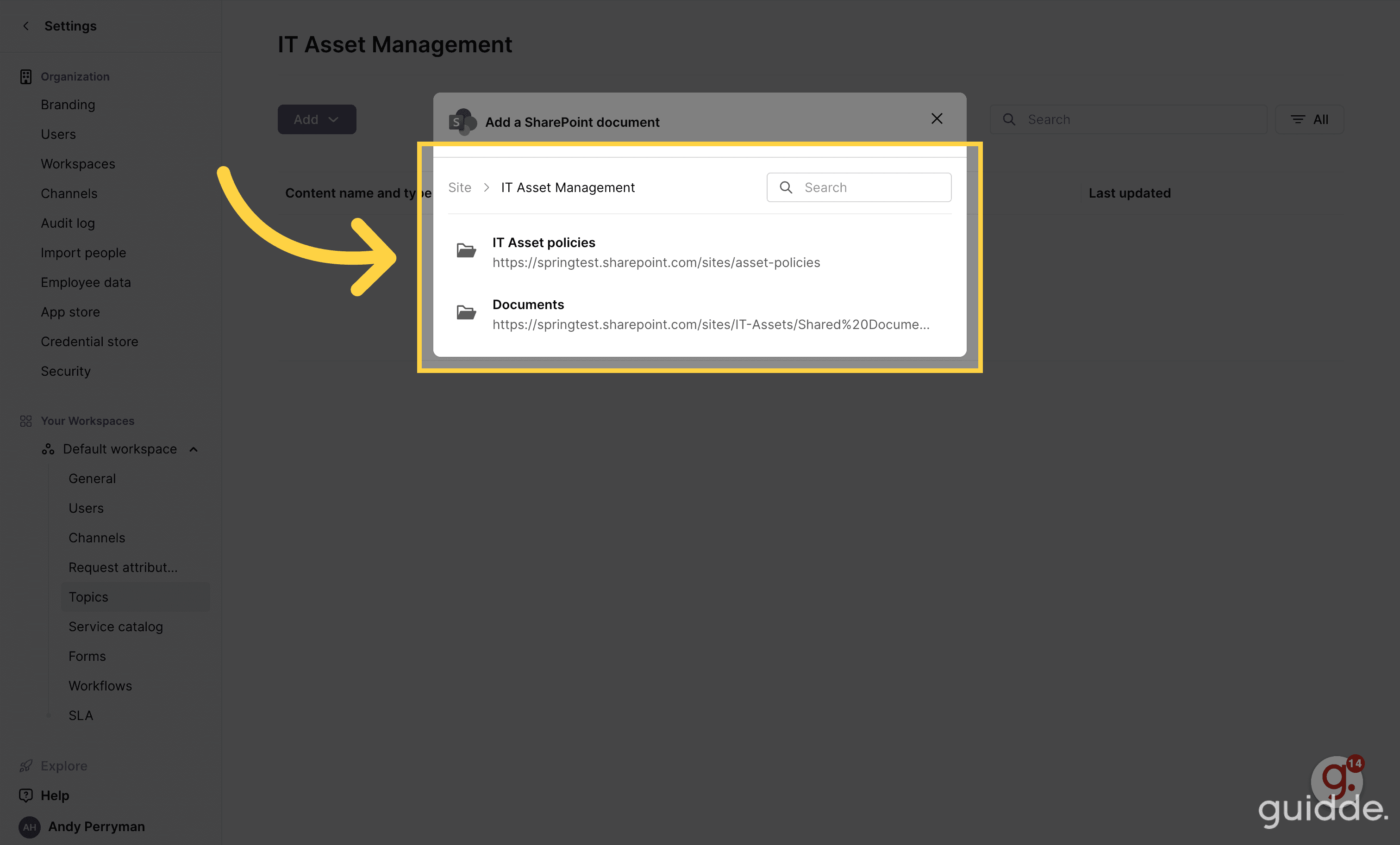
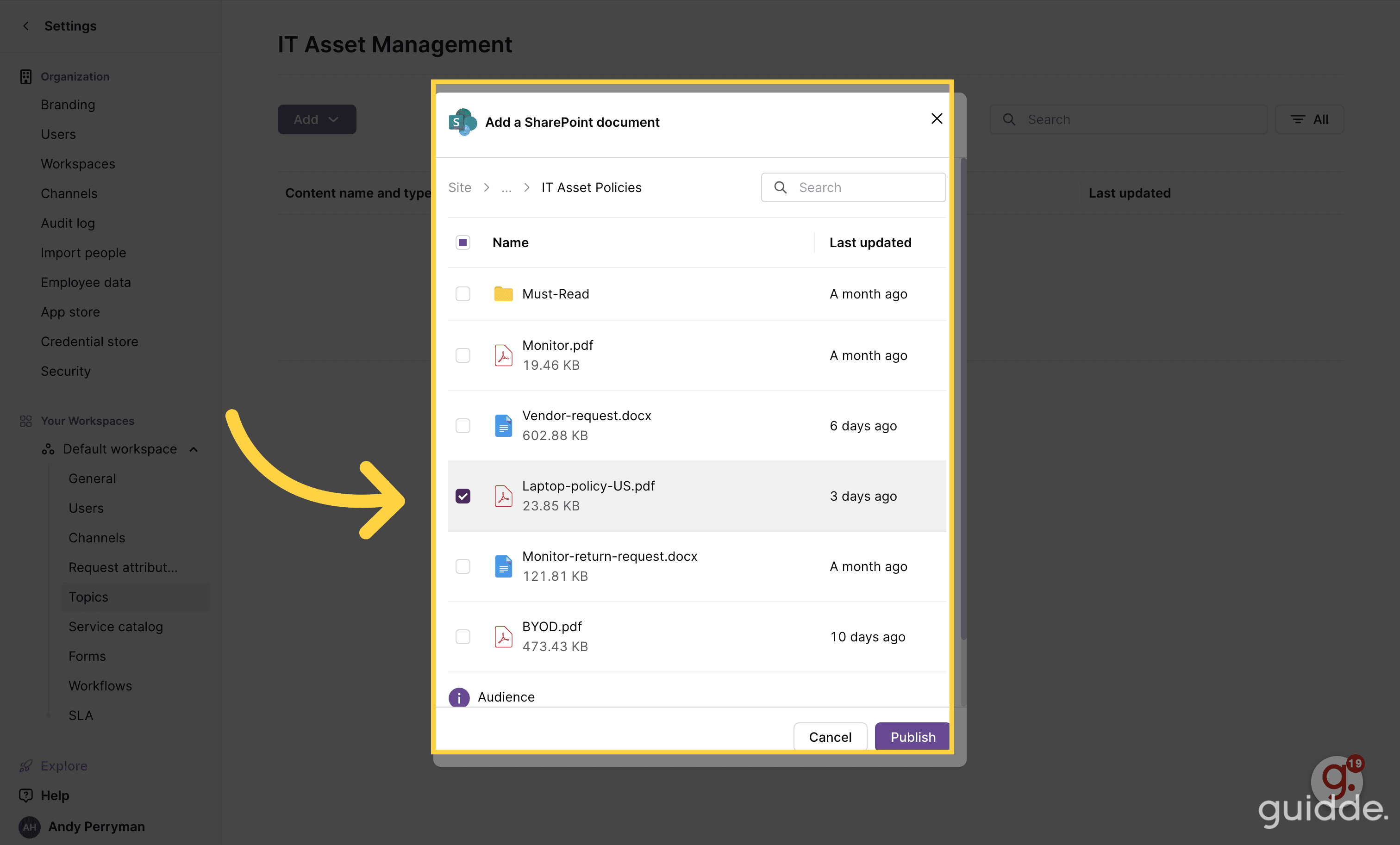
Choose a SharePoint site. You need to navigate through the document library structure in your SharePoint site to get to the document you want to add.
-
Click Publish.
-
And we're done! Atom will start learning the contents of the documents you've synced.
FAQs
-
How do I choose a segment in Atomicwork for a SharePoint document? I'm able to do it for other documents I upload to Atomicwork. Atomicwork will inherit permissions from the documents i.e the Azure Active Directory or SharePoint groups, in line with Microsoft's vision for SharePoint.
-
What is the frequency of the data sync? Atom will check the documents for new information every 6 hours.
-
Can I sync folders along with individual documents? Yes, you can. Atom will learn from the documents in the folder when you add it to Atomicwork. Any new documents in the SharePoint folder have to be manually added to Atomicwork by an admin. It will not automatically learn from them when they're added to the SharePoint folder.